Set or Reset Your Password
Reset Password
Navigate to the time card app.
Select Forgot Password?.
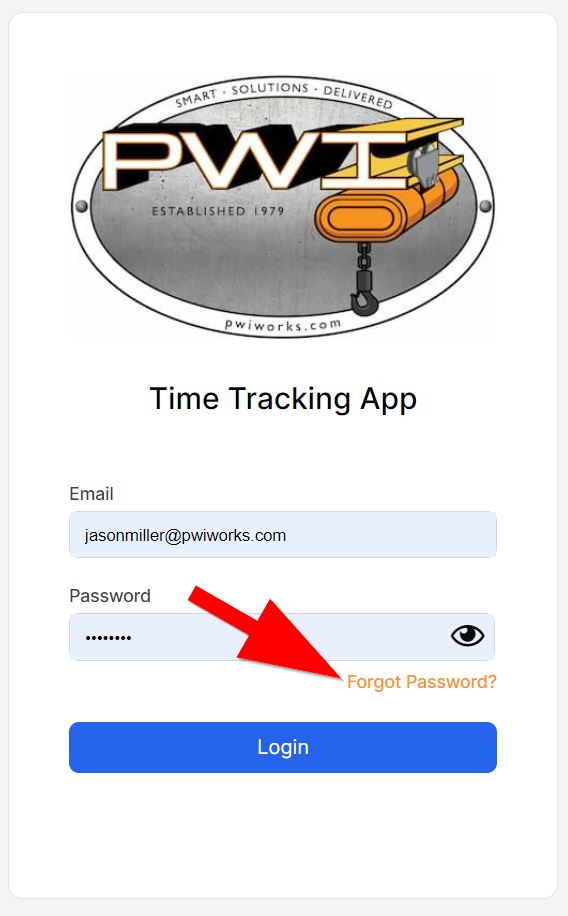
Enter your work email and wait to receive a "password reset" email. Click the link.
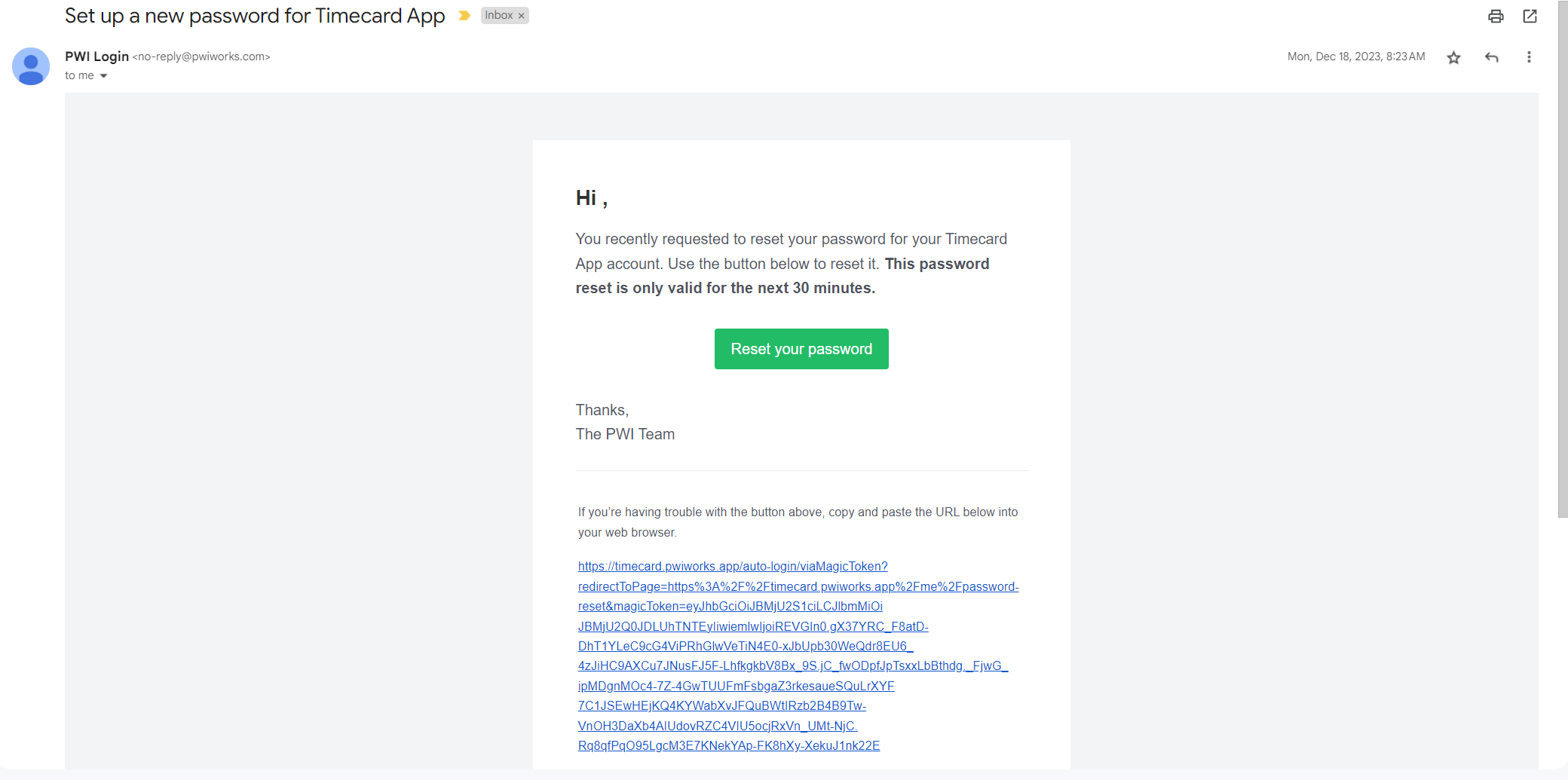
Enter your new password in both fields provided. Select confirm once complete.
Change Password
Navigate to the time card app.
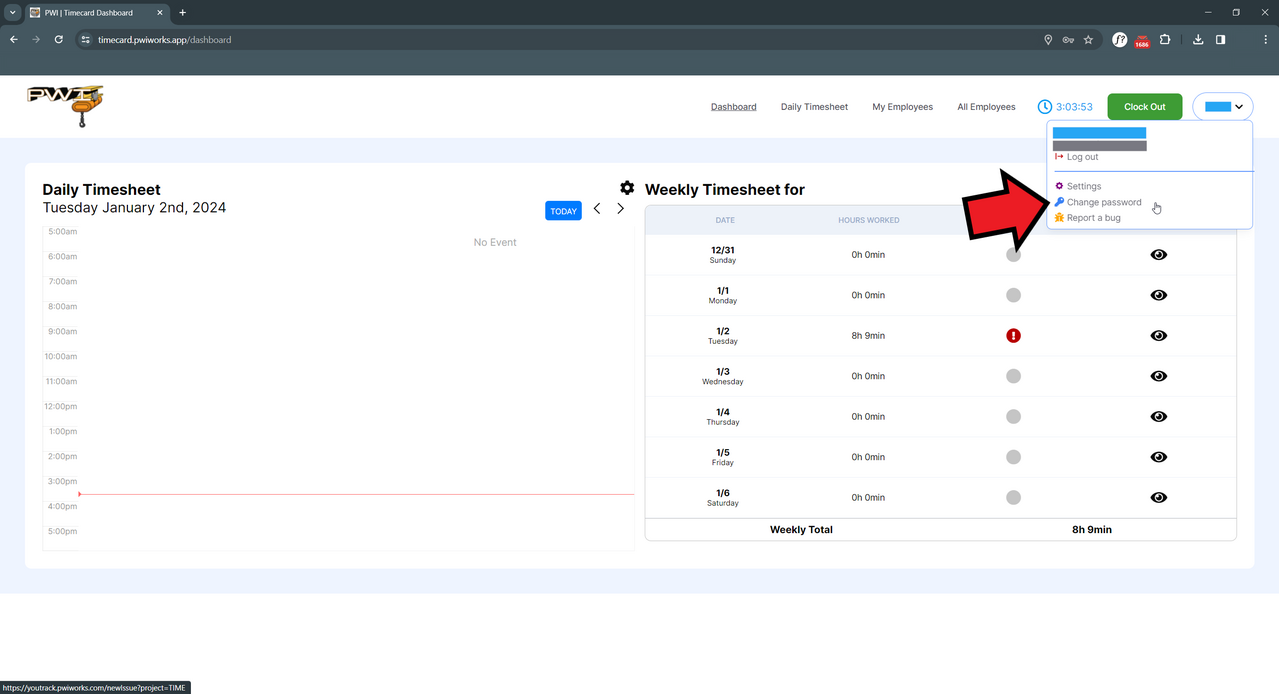
Find your name in the top-right corner and click the drop-down arrow, then select Change Password.
04 September 2024