Setting Up a Shortcut on Mobile
It can be very useful to set up a shortcut to your time card on your personal mobile device.
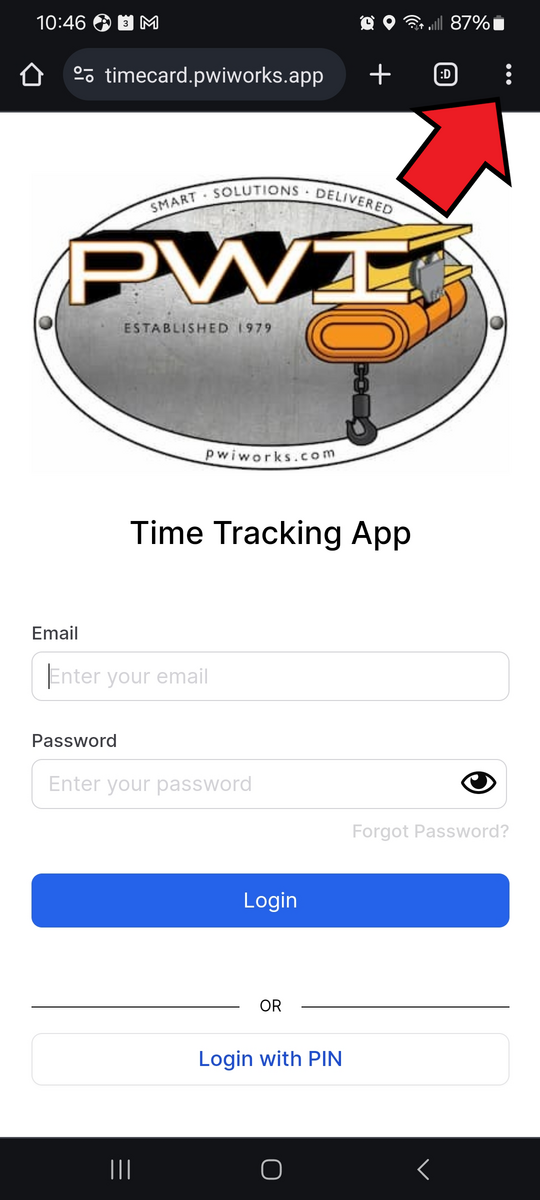
Log into the time card
Select the menu icon at the top right (3 dots)
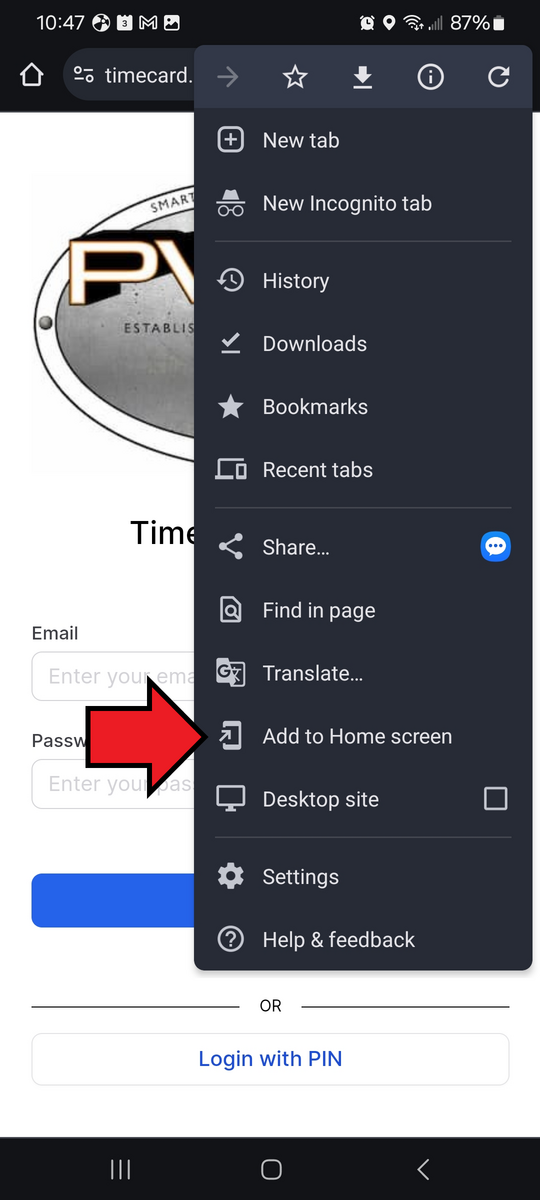
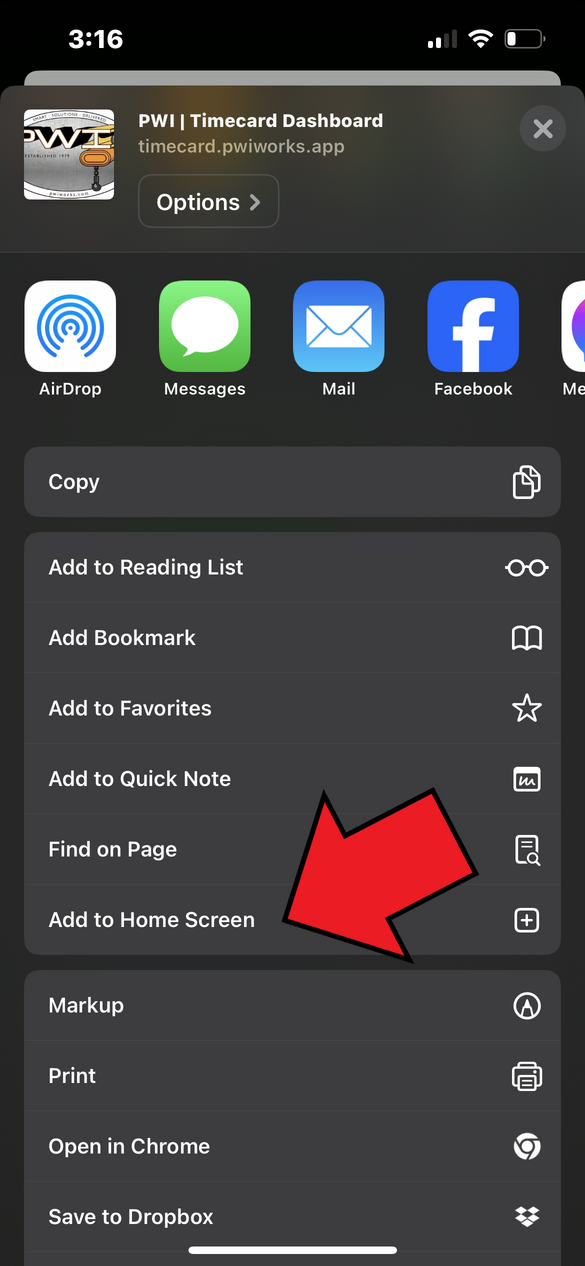
Select Add to Home Screen
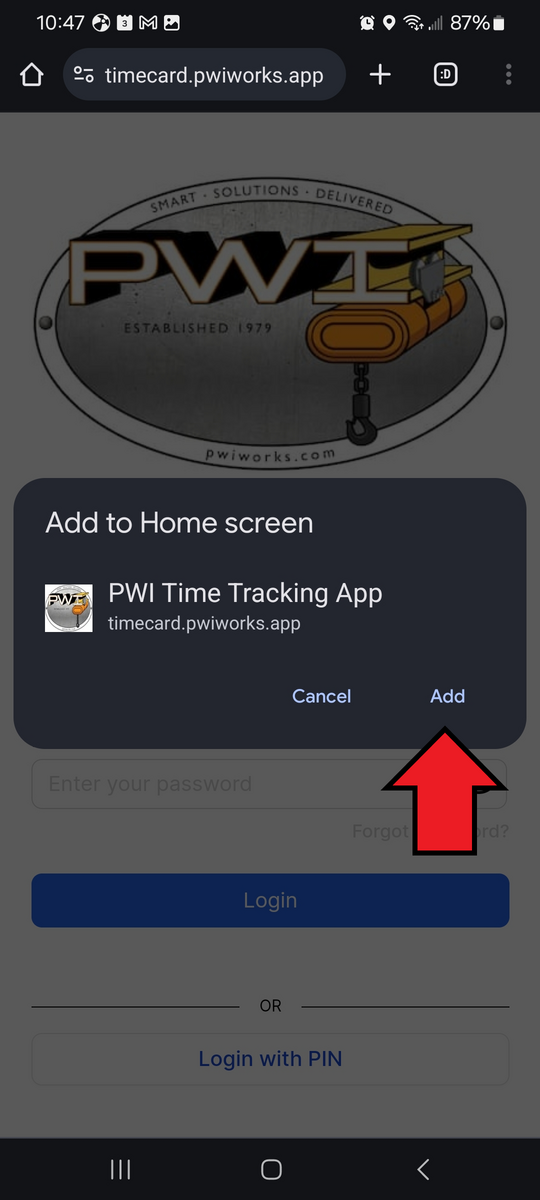
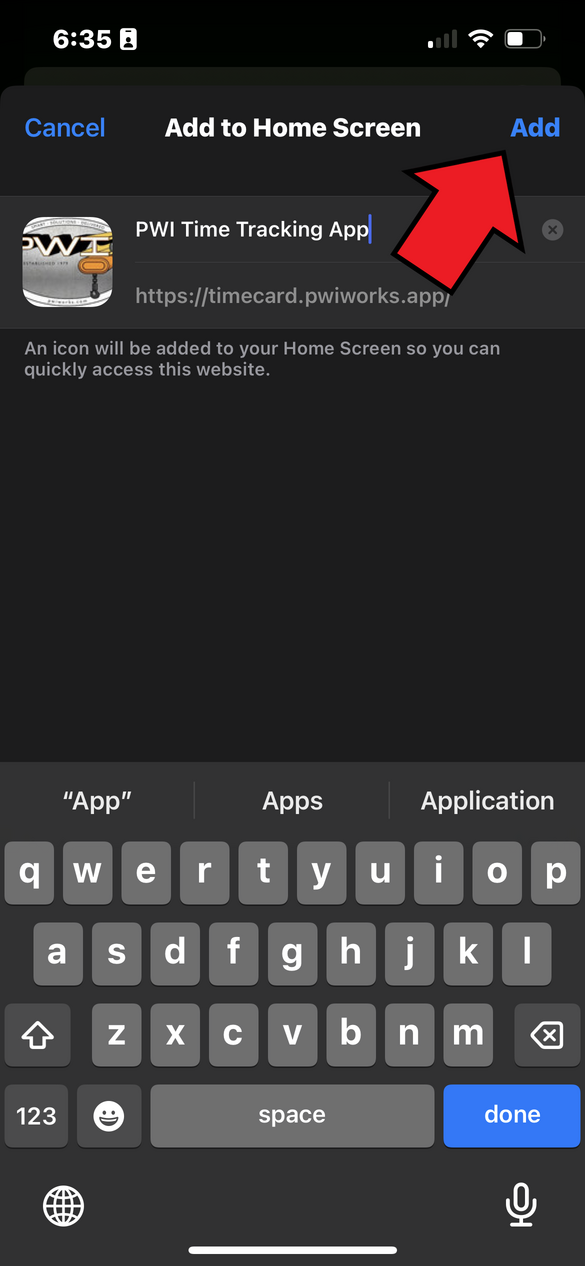
Select Add
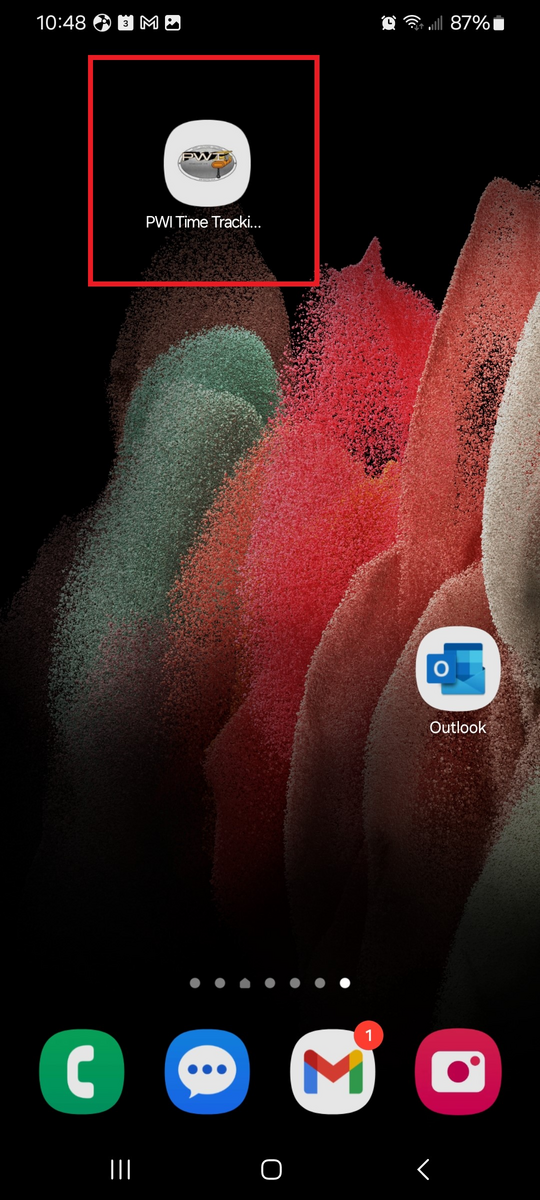
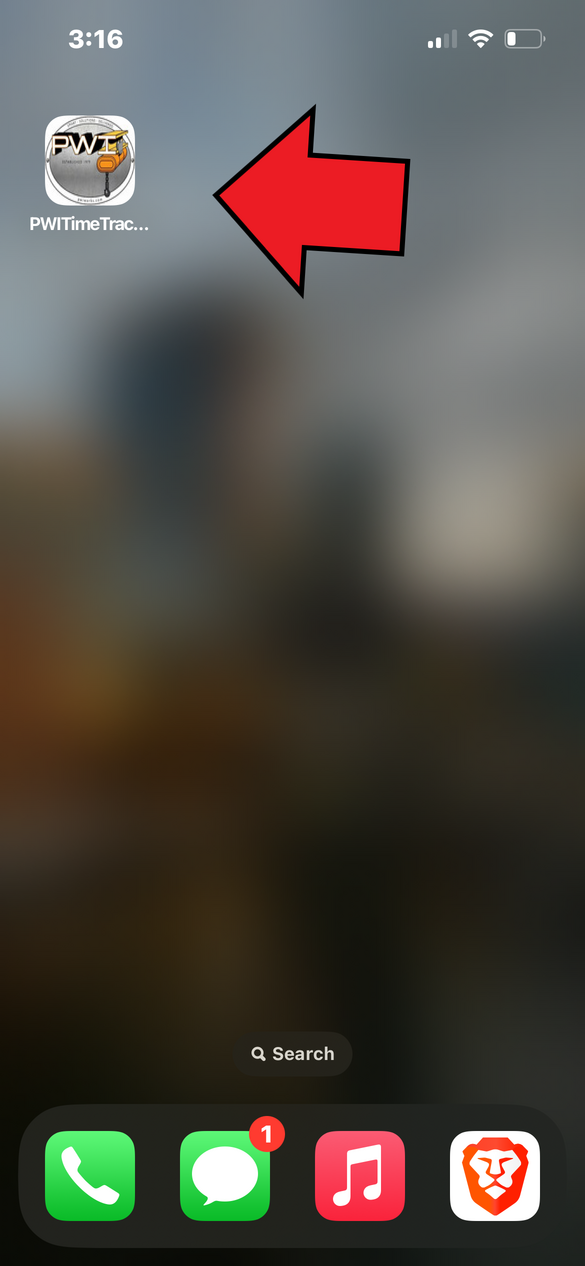
Your time card is now accessible from your home screen
Log into the time card
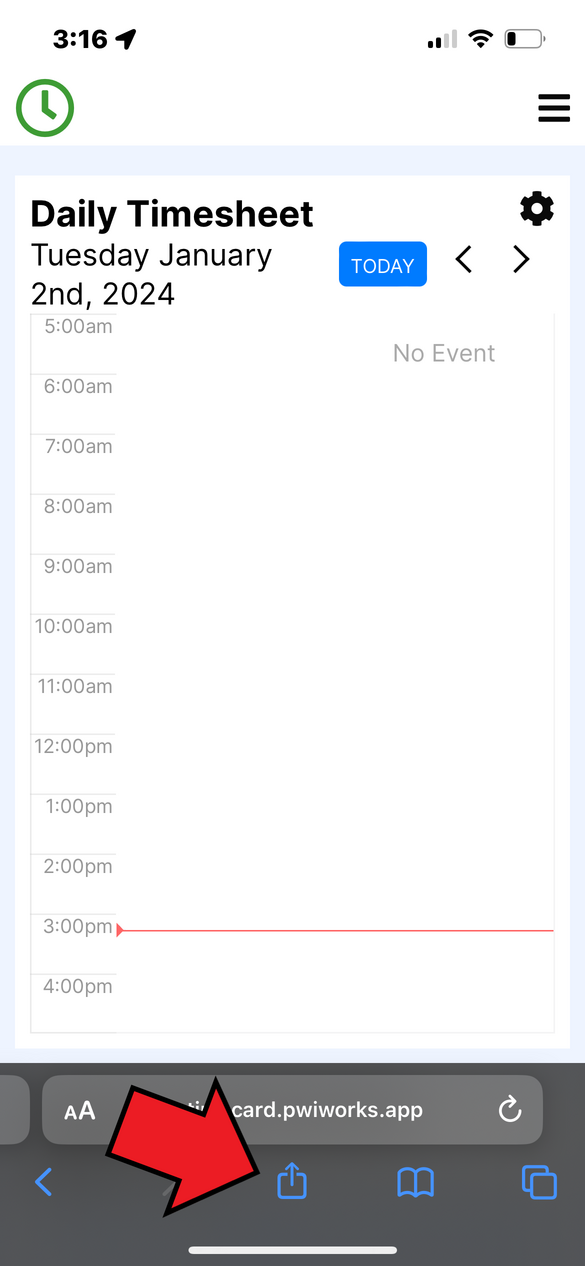
Select the share icon at the bottom of your screen
Select Add to Home Screen
Select Add
Your time card is now accessible from your home screen
12 February 2024